3 important steps to getting more credit for your peer reviews

A few years back, Scholarly Kitchen editor-in-chief David Crotty informally polled a dozen biologists about the burden of peer review. He found that most peer review around 3 papers per month. For senior scientists, that number can reach 15 papers per month.

And yet, no matter how much time they spend reviewing, the credit they get is the same, and it looks like this on their CV:

“Service: Reviewer for Physical Review B and PLOS ONE.”

What if your work could be counted as more than just “service”? After all, peer review is dependent upon scientists doing a lot of intellectual heavy lifting for the benefit of their discipline.

And what if you could track the impacts your peer reviews have had on your field? Credit–in the form of citations and altmetrics–could be included in your CV to show the many ways that you’ve contributed intellectually to your discipline.

The good news? You can get credit for your peer reviews. By participating in Open Peer Review and making reviews discoverable and citable, researchers across the world have begun to get the credit they deserve for improving science for the better.

But this practice isn’t yet widespread. So, we’ve compiled a short guide to getting started with getting credit for your peer reviews.

1. Participate in Open Peer Review

Open Peer Review is a radical notion predicated on a simple idea: that by making author and reviewer identities public, more civil and constructive peer reviews will be submitted, and peer reviews can be put into context.

Here’s how it works, more or less: reviewers are assigned to a paper, and they know the author’s identity. They review the paper and sign their name. The reviews are then submitted to the editor and author (who now knows their reviewers’ identities, thanks to the signed reviews). When the paper is published, the signed reviews are published alongside it.

Sounds simple enough, but if you’re reviewing for a traditional journal, this might be a challenge. Open Peer Review is still rarely practiced by most traditional publishers.

For a very long time, publishers favored private, anonymous (‘blinded’) peer review, under the assumption that it would reduce bias and that authors would prefer for criticisms of their work to remain private. Turns out, their assumptions weren’t backed up by evidence.

Blinded peer review is argued to be beneficial for early career researchers, who might find themselves in a position where they’re required to give honest feedback to a scientist who’s influential in their field. Anonymity would protect these ECR-reviewers from their colleagues, who could theoretically retaliate for receiving critical reviews.

Yet many have pointed out that it can be easy for authors to guess the identities of their reviewers (especially in small fields, where everyone tends to know what their colleagues/competitors are working on, or in lax peer review environments, where all one has to do is ask!). And as Mick Watson argues, any retaliation that could theoretically occur would be considered a form of scientific misconduct, on par with plagiarism–and therefore off-limits to scientists with any sense.

In any event, a consequence of this anonymous legacy system is that you, as a reviewer, can’t take credit for your work. Sure, you can say you’re a reviewer for Physical Review B, but you’re unable to point to specific reviews or discuss how your feedback made a difference. (Your peer reviews go into the garbage can of oblivion once the article’s been published, as illustrated below.) That means that others can’t read your reviews to understand your intellectual contributions to your field, which–in the case of some reviews–can be enormous.

Image CC-BY Kriegeskorte N from “Open evaluation: a vision for entirely transparent post-publication peer review and rating for science” Front. Comput. Neurosci., 2012

Image CC-BY Kriegeskorte N from “Open evaluation: a vision for entirely transparent post-publication peer review and rating for science” Front. Comput. Neurosci., 2012

So, if you want to get credit for your work, you can choose to review for journals that already offer Open Peer Review. A number of forward-thinking journals allow it (BMJ, PeerJ, and F1000 Research, among others).

To find others, use Cofactor’s excellent journal selector tool:

  • Head over to the Cofactor journal selector tool

  • Click “Peer review,”

  • Select “Fully Open,” and

  • Click “Search” to see a full list of Open Peer Review journals

Some stand-alone peer review platforms also allow Open Peer Review. Faculty of 1000 Prime is probably the best known example. Publons is the largest platform that offers Open peer review. Dozens of other platforms offer it, too.

Once your reviews are attributable to you, the next step is making sure others can read them.

2. Make your reviews (and references to them) discoverable

You might think that discoverability goes hand in hand with Open Peer Review, but you’d only be half-right. Thing is: URLs break every day. Persistent access to an article over time, on the other hand, will help ensure that those who seek out your work can find it, years from now.

Persistent access often comes in the form of identifiers like DOIs. Having a DOI associated with your review means that, even if your review’s URL were to change in the future, others can still find your work. That’s because DOIs are set up to resolve to an active URL when other URLs break.

Persistent IDs also have another major benefit: they make it easy to track citations, mentions on scholarly blogs, or new Mendeley readers for your reviews. Tracking citations and altmetrics (social web indicators that tell you when others are sharing, discussing, saving, and reusing your work online) can help you better understand how your work is having an impact, and with whom. It also means you can share those impacts with others when applying for jobs, tenure, grants, and so on.

There are two main ways you can get a DOI for your reviews:

  • Review for a journal like PeerJ or peer review platform like Publons that issues DOIs automatically

  • Archive your review in a repository that issues DOIs, like Figshare

Once you have a DOI, use it! Include it on your CV (more on that below), as a link when sharing your reviews with others, and so on. And encourage others to always link to your review using the DOI resolver link (these are created by putting “http://dx.doi.org/” in front of your DOI; here’s an example of what one looks like: http://dx.doi.org/10.7287/peerj.603v0.1/reviews/2).

DOIs and other unique, persistent identifiers help altmetrics aggregators like Impactstory and PlumX pick up mentions of your reviews in the literature and on the social web. And when we’re able to report on your citations and altmetrics, you can start to get credit for them!

3. Help shape a system that values peer review as a scholarly output

Peer review may be viewed primarily as a “service” activity, but things are changing–and you can help change ‘em even more quickly. Here’s how.

As a reviewer, raise awareness by listing and linking to your reviews on your CV, adjacent to any mentions of the journals you review for. By linking to your specific reviews (using the DOI resolver link we talked about above), anyone looking at your CV can easily read the reviews themselves.

You can also illustrate the impacts of Open Peer Review for others by including citations and altmetrics for your reviews on your CV. An easy way to do that is to include on your CV a link to the review on your Impactstory or PlumX profile. You can also include other quantitative measures of your reviews’ quality, like Peerage of Science’s Peerage Essay Quality scores, Publons’ merit scores, or a number of other quantitative indicators of peer-review quality. Just be sure to provide context to any numbers you include.

If you’re a decision-maker, you can “shape the system” by making sure that tenure & promotion and grant award guidelines at your organization acknowledge peer review as a scholarly output. Actively encouraging early career researchers and students in your lab to participate in Open Peer Review can also go a long way. The biggest thing you can do? Educate other decision-makers so they, too, respect peer review as a standalone scholarly output.

Finally, if you’re a publisher or altmetrics aggregator, you can help “shape the system” by building products that accommodate and reward new modes of peer review.

Publishers can partner with standalone peer review platforms to accept their “portable peer reviews” as a substitute (or addition to) in-house peer reviews.

Altmetrics aggregators can build systems that better track mentions of peer reviews online, or–as we’ve recently done at Impactstory–connect directly with peer review platforms like Publons to import both the reviews and metrics related to the reviews. (See our “PS” below for more info on this new feature!)

How will you take credit for your peer review work?

Do you plan to participate in Open Peer Review and start using persistent identifiers to link to and showcase your contributions to your field? Will you start advocating for peer review as a standalone scholarly product to your colleagues? Or do you disagree with our premise, believing instead that traditional, blinded peer review–and our means of recognizing it as service–are just fine as-is?

We want to hear your thoughts in the comments below!

Further Reading


ps.  Impactstory now showcases your open peer reviews!


Starting today, there is one more great way to get credit by your peer reviews, in addition to those above:  on your Impactstory profile!

We’re partnering with Publons, a startup that aggregates Open and anonymous peer reviews written for  PeerJ, GigaScience, Biology Direct, F1000 Research, and many other journals.

Have you written Open reviews in these places?  Want to feature them on your Impactstory profile, complete with viewership stats? Just Sign up for a Publons account and then connect it to your Impactstory profile to start showing off your peer reviewing awesomeness :).
Your new Impactstory

Today, it’s yours: the way to showcase your research online.

You’re proud of your research.  You want people to read your papers, download your slide decks, and talk about your datasets.  You want to learn when they do, and you want to make it easy for others to learn about it too, so everyone can understand your impact. We know, because as scientists, that’s how we feel, too.

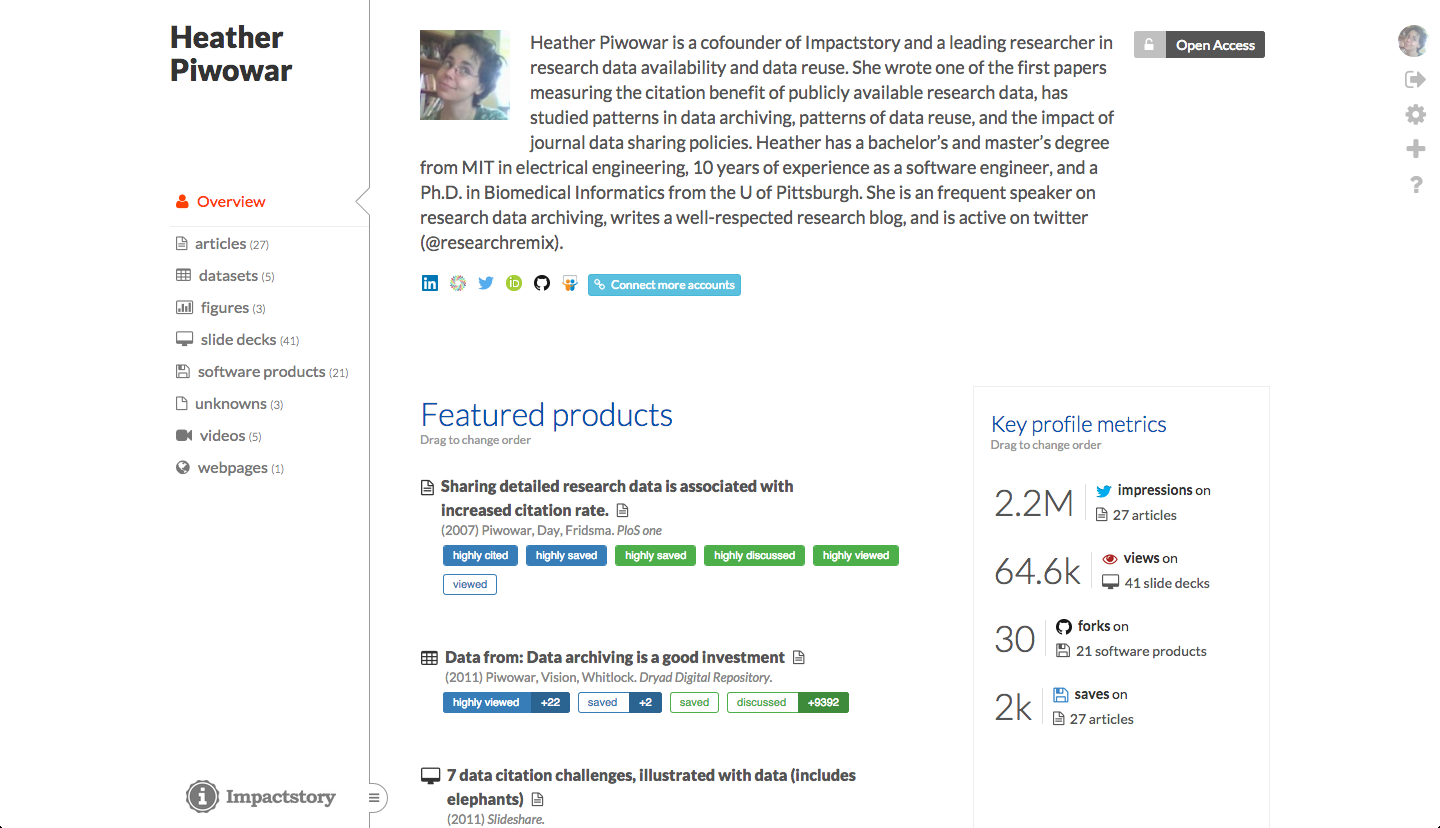
The new Impactstory design is built around researchers. You and your research are at the center: you decide how you want to tell the story of your research impact.

What does that mean?  Here’s a sampling of what’s new in today’s release:

9ep0z5c.png

A streamlined front page showcases Selected Publications and Key Metrics that you select and arrange from your full list of publications.  There’s a spot for a bio so people learn about your research passion and approach.

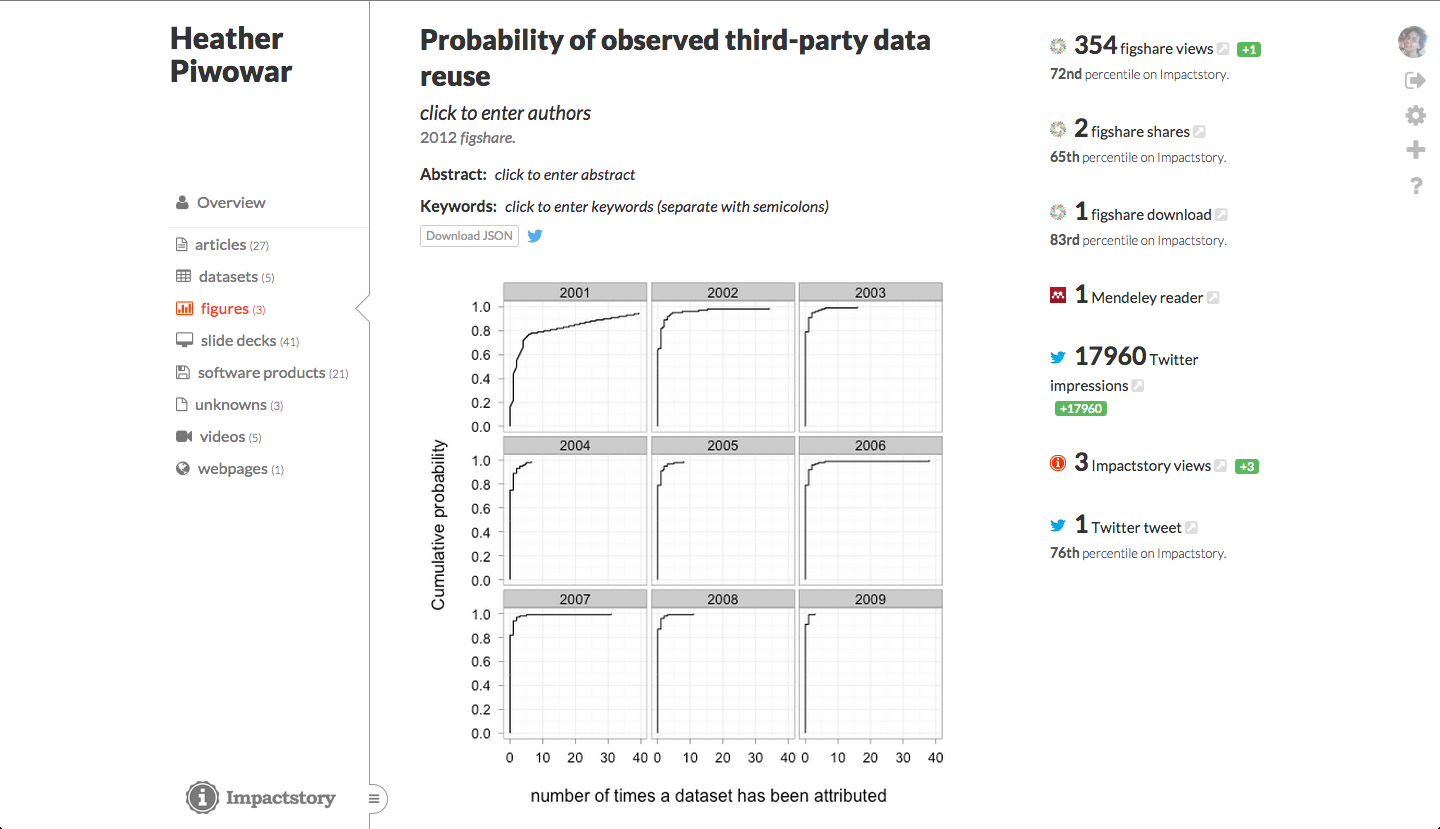
Reading your research has become an easy and natural part of learning about your work: your publications are directly embedded on the site!  Everyone can read as they browse your profile.  We automatically embed all the free online versions we can find — uploading everything else only takes a few clicks.

gbazFPT.png

None of this is any good if your publication list gets stale, so keeping your publication list current is easier than ever: zoom an email publications@impactstory.org whenever you publish something new with a link to the new publication, and poof: it’ll appear in your profile, just like that.

Want to learn things you didn’t know before?  Your papers now include Twitter Impressions — the number of times your publication has been mentioned in someone’s twitter timeline.  You may be surprised how much exposure your research has had…we’re discovering many articles reaching tens of thousands of potential readers.

We could talk about the dozens of other features in this release. But instead: go check out your new profile. Make it yours.  We’re extending the free trial for all users for two more days — subscribe before your trial expires and it is just $45/year.

As of today, the three of us have taken down our old-fashioned academic websites. Impactstory is our online research home, and we’re glad it’ll be yours too.


Sincerely,
Jason, Heather and Stacy

Share your articles, slides and more on Impactstory

We said we were going to have big changes live by Sept 15th when early adopters’ free trials expire. Well here’s our first one:  Impactstory’s now a great place to freely share your articles, slides, videos, and more–and get viewership stats to track impacts even better.

Share everything

NHfvmIP.png

Before, product pages focused just on the metrics for your research products. Those metrics are still there, but now the focus is on the product itself. Yep, that’s right: people can now view and read your work right on Impactstory. So we’re not just a place to share the impact of your work, we’re also a place to share your actual research.

It’s super easy to upload your preprints to Impactstory (and you should!). But it gets even better–for most OA publications, we automatically embed the PDF for you. It’s handy, and it’s a also great example of the kind of interoperability OA makes possible.

But as y’all know, at Impactstory we’re passionate about supporting scholarly products beyond articles. So we’re also automatically embedding a slew of other tasty product types. GitHub repo? We’ve got your README file embedded. Figshare image? Yup, that’s on your profile now too. You want to view videos from Vimeo and YouTube, and slides from Slideshare, right on your Impactstory page? Done.

Discover how many people are viewing your research

We’re also rolling out viewership stats for your Impactstory product page. So not only do you learn when folks are citing, discussing, and saving your work–you learn when they’re reading it, too. Over time we’ll likely add viewership maps and other ways to dig into this data even more.

Why you should upload your work to Impactstory

Sharing your work directly on Impactstory has lots of advantages. It brings all your product types together in one place, under your brand as a researcher, not under the brand of a journal or institution. It also makes the case for your research’s value better than metrics alone–it helps you tell a fuller impact story.

Uploading your work is also a great quick way to just get your work out there. In that regard it’s kind of like what Academia.edu and ResearchGate offer–except we don’t make potential readers create an account to access your work. It’s open.  We don’t yet have comprehensive preservation strategy (persistent IDs, CLOCKSS, etc), but we’ll be listening to see if there’s demand for that.

As you may notice, we are super excited about this feature. We’re going to be working hard to get the word out about it to our users, and we’re counting on all or your help on that. And of course as always we’d also love your feedback, particularly on bugs; a feature this big will certainly need a few as users to kick the tires.

And now we’re transitioning to working our next big set of features…can’t wait to launch those over the next two weeks!

One month, three exciting new Impactstory features

In our last post, we hinted at the cool new set of features we’re rolling out over the next month as part of our Five Meter release.   We wanted to give you the inside scoop on these features before their debut and get your feedback!

Easier import to Impactstory, and keeping your profile more up-to-date

We know how much of a pain it is to keep your CV up-to-date, so we’re going to make Impactstory that much better at keeping your it current, without the need for you to do much (if anything at all).

We’re currently exploring routes to implementation that include:

  • Increasing the speed with which we sample third-party sites like Figshare and ORCID, so there’s less of a lag between when new products are added to those sites and when they appear on Impactstory. (That lag is currently one week, which is awesome for many of our users, but could be improved upon.)

  • Allowing you to email us a link or citation to a new product

  • Allowing you to tweet at us with certain hashtags and links to new products

Assuming you have to do anything at all to update your Impactstory profile, how would you prefer to do it? Forwarding manuscript acceptance emails? A bookmarklet a la Mendeley? What’s the easiest and least-hassle way we could do this for you?

Upload OA versions of your papers directly to Impactstory

This was one of the most wanted features mentioned in recent user interviews. And since we’re aiming to make Impactstory a solid replacement for scientists’ online web presence and CV, it follows that we should debut a feature that will allow researchers to share their work like they would on their website, but with less hassle.

What we’re most excited about for this feature debut is the ability to now track pageview and download counts for content that previously couldn’t be easily tracked on scientists’ websites.

The feature won’t provide permanent IDs like DOIs for uploaded content, nor will it provide full-scale archival preservation for content for now (like Figshare and many institutional repositories currently do, thanks to partnerships with CLOCKSS, etc). But we (like many of you) believe in the importance of permanent IDs and digital preservation. We’ll be keeping those issues in mind for future improvements and listening to see how much demand there is from users like you.

Ability to customize your profile’s appearance

You’ll soon be able to prioritize content and choose what people can see on your Impactstory profile, including current profile content and also new types of content that we’re calling widgets (think WordPress widgets).

Some widgets we’re aiming to debut include: the ability to feature a paper or product you’re proud of (as well as their metrics), a “bio” section, a research interests section, and integration with your blog.

Are there other uses for a customizable UI or types of widgets you’d love to see?

We’re also going to reformat profile badges to make ‘em more informative: the reformat will include the actual metrics themselves, percentile information, and possibly other information.

The customizable UI feature debut, as a whole, will set the stage for an oft-requested feature: the ability to group products into research packages.

Cool, so what’s next?

We’re going to start rolling this features out ASAP–the upload feature will likely be the first to happen, and it might happen later this week. We’re aiming to have all of these implemented by September 15.

We’d love to get your feedback in the comments on the questions we pose here, and welcome your thoughts over on the Feedback Forum on new features to consider implementing in our next sprints.

New pricing and new features, coming Sept 15th

It’s been an active couple of weeks at Impactstory. We’ve been thrilled at all the feedback we’ve received on our sustainability plan announcement, and we really appreciate the time many of you have put into sharing your thoughts with us.

Inspired by some of this feedback we’ve made some new plans. To continue furthering our vision of Impactstory as a professional-grade scholarly tool, in one month we’ll be adjusting the subscription price for new subscribers, and to go with it, launching an exciting to set of features.  Read on!

The suggestions

Many have suggested we go back to a free or freemium model, or find someone to charge other than our core users. And though we understand the appeal of these approaches (they were actually our Plan A for a long time), we won’t be going down those paths in the foreseeable future.  We’ve written about why elsewhere, as have some of our users and other folks around the web (Stefan’s post on the Paperpile blog was particularly good).

There was also a second set of suggestions, from folks who argued we should be charging more for Impactstory. Now that caught us by surprise.

To let you in on some of the background for why we chose our current price, we actually started with the idea of two bucks monthly. We knew the jump from free to subscription would sting, so we wanted to make it small. And we knew that we still have a ways to go before we deliver really compelling value for many users, so we wanted to ask for as little as we could. After a lot of discussion and some interviews, we eventually dared to push a bit higher, but drew the line at five dollars.

Undercharging? Seriously?

To hear that we might be undercharging was a bit of a shock. But when we examined the arguments for a higher price point, they made a lot of sense:

  • Your price establishes the perceived value of your product.

  • Your price only makes sense in relation to your market. Impactstory doesn’t have direct competitors, but we can look at the market for generally similar services. When we do, you see clusters around two price points: (1) free, like ResearchGate, Facebook, and so on, and (2) about $10/mo like GitHub or Spotify or Netflix. Crucially, there’s almost no one charging $5 monthly.

  • If we’re the cheapest thing people pay for, we’re establishing our value as the least important thing they pay for. That’s not the niche we’re shooting for.

  • And worse, people always assume you’re worth a bit less than you charge. So if our cost is “cheapest thing that’s not free,” then people assume our real value is: free. Nothing, no value.

This last point was particularly compelling when we read it, because it gets to the heart of why we’re charging in the first place: if we’re going to change researcher behavior and change the world, we have to establish ourselves as a professional-grade tool.

We can’t afford to be just something fun and cheap. And so we need to set a price that says that, loud and clear.  It looks like we got that price a little wrong with our first shot, and so we we’re going to adjust it.

So we’re making a change

We’re raising our subscription price to $60/year or $10/month, effective September 15th (one month hence).

Anyone who subscribes between now and September 15 will lock in their subscription at $5/month.  Everyone’s free trial will be extended till then, and new users will receive a 30 day trial.  And of course the no-questions-asked waiver will still be available.

But there’s a second part of this, too. Because raising the price can’t be the whole plan.

We get that some have been hesitant to use Impactstory for free. Part of the issue is that altmetrics aren’t widely accepted yet. We also know that if we want to sell Impactstory as a professional-grade tool with practical value for cutting-edge researchers, we’re going to need some very significant upgrades to what Impactstory does. It’s got to be worth the high price. That’s the whole point.

And so we’re going to be worth it

That’s why September 15th will also mark the completion of a huge new set of Impactstory features, collectively code-named Five Meter. We’ll be rolling these out over the course of the next month. It’s going to be one of our biggest feature pushes ever, and it’s going to be awesome.

The Five Meter spec isn’t 100% decided yet, but it’ll include a new more customizable profile page, stats on your twitter account and blog, support for your own domain name, new badges, and more.  Once these new features ship on September 15, our entire team is going to delete our professional webpages and online CVs, because at that point, Impactstory will be doing everything our webpages and online CVs do but better.

We think that’s something a lot of other researchers will want too, and want hard. And after a lot of conversation with the vanguard of web-native scientists–the folks we’re focused on right now–we’re convinced that’s an Impactstory they’ll gladly pay for. An Impactstory they’ll use, in earnest. And an Impactstory that’s way closer to transforming the way science is evaluated and shared.

As always, we’d love to hear questions or feedback! Email us at team@impactstory.org or tweet us at @impactstory.


All our best,

The Impactstory Team

P. S. Want to lock down that $45/year rate we talk about above? Login to your Impactstory profile, then head to Settings > Subscription. And if you aren’t already an Impactstory user but want to check out all the awesome new features we’ll be rolling out this month, sign up for a 30-day free trial now. Cheers!

Your questions, answered: introducing the Impactstory Knowledge Base

We’re launching a new feature today to make it even easier to use Impactstory: the Impactstory Knowledge Base.

We’ve seeded the Knowledge Base with answers to users’ frequently asked questions: how to create, populate and update your Impactstory profile, embed your Impactstory profile in other websites, and more. And we’ll be adding more articles–particularly those aimed at “power users”–in the coming months.

Head over to the Knowledge Base now to check it out!

Got a “how to” you want us to add in our next round of edits to the Knowledge Base? Email us at team@impactstory.org to share it.

The ultimate guide for staying up-to-date on your data, software, white papers, slide decks and conference posters’ impact

Getting impact alerts for your papers was pretty simple to set up, but what about tracking real-time citations, downloads, and social media activity for your other research outputs?

There are so many types of outputs to track–datasets, software, slide decks, and more. Plus, there seems to be dozens of websites for hosting them! How can you easily keep track of your diverse impacts, as they happen?

Don’t worry–it’s literally our job to stay on top of this stuff! Below, we’ve compiled the very best services that send impact alerts for your research data, software, slide decks, conference posters, technical reports, and white papers.

Research data

Specific data repositories gather and display metrics on use. Here, we go into details on metrics offered by GitHub, Figshare, and Dryad, and then talk about how you can track citations via the Data Citation Index.

GitHub

github_logo.jpg

If you use the collaborative coding website GitHub to store and work with research data, you can enable email alerts for certain types of activities. That way, you’re notified any time someone comments on your data or wants to modify it using a “pull request.”

First, you’ll need to “watch” whatever repositories you want to get notifications for. To do that, visit the repository page for the dataset you want to track, and then click the “Watch” button in the upper right-hand corner and select “Watching” from the drop-down list, so you’ll get a notification when changes are made.

Then, you need to enable notification emails. To do that, log into GitHub and click the “Account Settings” icon in the upper right-hand corner. Then, go to “Notification center” on the left-hand navigation bar. Under “Watching,” make sure the “Email” box is ticked.

Other GitHub metrics are also useful researchers: “stars” tell you if others have bookmarked your repository and “forks”–a precursor to a pull request–indicate if others have adapted some of your code for their own uses. Impactstory notification emails (covered in more detail below) include both of these metrics.

GitHub, Dryad and Figshare metrics via Impactstory

Screen Shot 2014-06-06 at 953.png

Dryad data repository and Figshare both display download information on their web sites, but they don’t send notification emails when new downloads happen. And GitHub tracks stars and forks, but doesn’t include them in their alert emails. Luckily, Impactstory alerts notify you when your data stored on these sites receives the following types of new metrics:

Dryad

Figshare

GitHub

pageviews

X

X

downloads

X

X

shares

X

stars (bookmarks)

X

forks (adaptations)

X

Types of data metrics reported by Impactstory

To set up alerts, create an Impactstory profile and connect your profile to ORCID, Figshare, and GitHub using the “Import from accounts” button at the top of your profile. (If you already have an Impactstory profile, this button will appear as a blue “Connect more accounts” button instead.) This will allow you to auto-import many of your datasets. If any of your datasets are missing, you can add them one by one by clicking the “Import individual products” icon and providing links and DOIs. Once your profile is set up, you’ll start to receive a notification email once every 1-2 weeks.

Data Citation Index

If you’ve deposited your data into a repository that assigns a DOI, the Data Citation Index (DCI) is often the best way to learn if your dataset has been cited in the literature.

To create an alert, you’ll need a subscription to the service, so check with your institution to see if you have access. If you do, you can set up an alert by first creating a personal registration with the Data Citation Index; click the “Sign In” button at the top right of the screen, then select “Register”. (If you’re already registered with Web of Knowledge to get citation alerts for your articles, there’s no need to set up a separate registration.)

Then, set your preferred database to the Data Citation Index by clicking the orange arrow next to “All Databases” to the right of “Search” in the top-left corner. You’ll get a drop-down list of databases; select “Data Citation Index.”

Now you’re ready to create an alert. On the Basic Search screen, search for your dataset by its title. Click on the appropriate title to get to the dataset’s item record. In the upper right hand corner of the record, you’ll find the Citation Network box. Click “Create citation alert.” Let the Data Citation Index know your preferred email address, then save your alert.

Software

The same GitHub metrics you can track for data can be used to track software impact, too. To receive alerts about comments on your code and pull requests, follow the notification sign-up instructions outlined under Research Data > GitHub, above. To receive alerts when your software gets stars or forks, sign up for Impactstory alerts according to the instructions under Research Data > GitHub, Dryad, and Figshare.

Impactstory and others are working on ways to track software impact better–stay tuned!

Technical reports, working papers, conference slides & posters

Slideshare sends alerts for metrics your slide decks and posters receive. Impactstory includes some of these metrics from Slideshare in our alert emails.  Impactstory alerts also include metrics for technical reports, working papers, conference slides, and posters hosted on Figshare.

Slideshare

w8Zu8Ow.png

Though Slideshare is best known for allowing users to view and share slide decks, some researchers also use it to share conference posters. The platform sends users detailed weekly alert emails about new metrics their slide decks and posters have received, including the number of total views, downloads, comments, favorites, tweets, and Facebook likes.

To receive notification emails, go to Slideshare.net and click the profile icon in the upper right-hand corner of the page. Then, click “Email” in the left-hand navigation bar, and check the “With the statistics of my content” box to start receiving your weekly notification emails.

Figshare and Slideshare metrics via Impactstory

You can use Impactstory to receive notifications for downloads, shares, and views for anything you’ve uploaded to Figshare, and for the downloads, comments, favorites, and views for slide decks and posters uploaded to Slideshare.

First, create an Impactstory profile and connect your profile to Figshare and Slideshare using the “Import from accounts” button at the top of your profile. (If you already have an Impactstory profile, this button will appear as a “Connect more accounts” button instead.) For both services, click the appropriate button, then provide your profile URL when prompted. Your content will then auto-import.

If any Figshare or Slideshare uploads are missing–which might be the case your collaborators have uploaded content on your behalf–you can add them one by one by clicking the “Import stuff” icon at the upper right-hand corner of your profile, clicking the “Import individual products” link, and then providing the Figshare DOIs and Slideshare URLs. Once your profile is set up, you’ll start to receive a notification email once every 1-2 weeks.

Videos

Vimeo and Youtube both provide a solid suite of statistics for videos hosted on their sites, and you can use those metrics to track the impact of your video research outputs. To get alerts for these metrics, though, you’ll need to sign up for Impactstory alerts.

Vimeo and Youtube metrics via Impactstory

Vimeo tracks likes, comments, and plays for videos hosted on their platform; Youtube reports the same, plus dislikes and favorites. To get metrics notifications for your videos hosted on either of these sites, you’ll need to add links to your videos to your Impactstory profile.

Once you’ve signed up for an Impactstory profile, the “Import stuff” icon at the upper right-hand corner of your profile, then click the “Import individual products” link. There, add URLs for each of the  videos and click “Import”. Once they’re imported to your profile, you’ll start to receive notifications for new video metrics once every 1-2 weeks.

Are we missing anything? We’ve managed to cover the most popular platforms in this post, but we’d love to get your tips on niche data repositories, video platforms, and coding sites that keep you up to date on your impact by sending alerts. Leave them in the comments below!

Bookmark this guide. This post–and our other Ultimate Guide for articles–will be updated over time, as services change.

The ultimate guide to staying up-to-date on your articles’ impact

You published a paper–congrats!  Has anyone read it?  Cited it?  Talked about it on Twitter?  How can you find out–as it happens?

Automated alerts!  Email updates that matter come right to you.

We’ve compiled a two-part primer on the services that deliver essential research impact metrics straight to your inbox, so you can stay up to date without having to do a lot of work.

In this post, we’ll share tips for how to automagically track citations, altmetrics and downloads for your publications; in our next post, we’ll share strategies for tracking similar metrics for your data, code, slides, and social media outreach.

Citations

Let’s start with citations: the “coin of the realm” to track scholarly impact. You can get citation alerts in two main ways: from Google Scholar or from traditional citation indices.

Google Scholar Citations alerts

Google Scholar citations track any citations to your work that occur on the scholarly web. These citations can appear in any type of scholarly document (white papers, slide decks, and of course journal articles are all fair game) and in documents of any language. Naturally, this means that your citation count on Google Scholar may be larger than on other citation services.

To get Google Scholar alerts, first sign up for a Google Scholar Citations account and add all the documents you want to track citations for. Then, visit your profile page and click the blue “Follow” button at the top of your profile. You’ll see a drop-down like this:

Screenshot of a Google Scholar profile, showing the blue

Enter your preferred email address in the box that appears, then click “Create alert.” You’ll now get an alert anytime you’ve received a citation.

Citation alerts via Scopus & Web of Knowledge

Traditional citation indices like Scopus and Web of Knowledge are another good way to get citation alerts delivered to your inbox. These services are more selective in scope, so you’ll be notified only when your work is cited by vetted, peer-reviewed publications. However, they only track citations for select journal articles and book chapters–a far cry from the diverse citations that are available from Google Scholar. Another drawback: you have to have subscription access to set alerts.

Web of Knowledge

Web of Knowledge offers article-level citation alerts. To create an alert, you first have to register with Web of Knowledge by clicking the “Sign In” button at the top right of the screen, then selecting “Register”.

5sBUo1G.png

Then, set your preferred database to the Web of Science Core Collection (alerts cannot be set up across all databases at once). To do that, click the orange arrow next to “All Databases” to the right of “Search” in the top-left corner. You’ll get a drop-down list of databases, from which you should select “Web of Science Core Collection.”

Now you’re ready to create an alert. On the Basic Search screen, search for your article by its title. Click on the appropriate title to get to the article page. In the upper right hand corner of the record, you’ll find the Citation Network box. Click “Create citation alert.” Let Web of Knowledge know your preferred email address, then save your alert.

Scopus

In Scopus, you can set up alerts for both articles and authors. To create an alert for an article, search for it and then and click on the title in your search results. Once you’re on the Article Abstract screen, you will see a list of papers that cite your article on the right-hand side. To set your alert, click “Set alert” under “Inform me when this document is cited in Scopus.”

To set an author-level alert, click the Author Search tab on the Scopus homepage and run a search for your name. If multiple results are returned, check the author affiliation and subjects listed to find your correct author profile. Next, click on your author profile link. On your author details page, follow the “Get citation alerts” link, and list your saved alert, set an email address, and select your preferred frequency of alerts. Once you’re finished, save your alert.

With alerts set for all three of these services, you’ll now be notified when your work is cited in virtually any publication in the world! But citations only capture a very specific form of scholarly impact. How do we learn about other uses of your articles?

Tracking article pageviews & downloads

How many people are reading your work? While you can’t be certain that article pageviews and full-text downloads mean people are reading your articles,  many scientists still find these measures to be a good proxy. A number of services can send you this information via email notifications for content hosted on their sites. Impactstory can send you pageview and download information for some content hosted elsewhere.

Publisher notifications

Publishers like PeerJ and Frontiers send notification emails as a service to their authors.

If you’re a PeerJ author, you should receive notification emails by default once your article is published. But if you want to check if your notifications are enabled, sign into PeerJ.com, and click your name in the upper right hand corner. Select “Settings.” Choose “Notification Settings” on the left nav bar, and then select the “Summary” tab. You can then choose to receive daily or weekly summary emails for articles you’re following.

In Frontiers journals, it works like this: once logged in, click the arrow next to your name on the upper left-hand side and select “Settings.” On the left-hand nav bar, choose “Messages,” and under the “Other emails” section, check the box next to “Frontiers monthly impact digest.”

Both publishers aggregate activity for all of the publications you’ve published with them, so no need to worry about multiple emails crowding your inbox at once.

Not a PeerJ or Frontiers author? Contact your publisher to find out if they offer notifications for metrics related to articles you’ve published. If they do, let us know by leaving a comment below, and we’ll update this guide!

ResearchGate & Academia.edu

bhr3lLZ.png

Some places where you upload free-to-read versions of your papers, like ResearchGate and Academia.edu, will report how many people have viewed your paper on their site.

You can turn on email notifications for pageviews, downloads, comments, bookmarks, and citations by other papers on ResearchGate by visiting “Settings” (on both sites, click the triangle in the upper right-hand corner of your screen). Then, click on the “Notifications” tab in the sidebar menu, and check off the types of emails you want to receive. On Academia.edu, the option to receive new metrics notifications for pageviews, downloads, and bookmarks are under “Analytics” and “Papers”; on Researchgate, it’s under “Your publications” and “Scheduled updates”.

PLOS article metrics via Impactstory

Impactstory now offers alerts, so you’re notified any time your articles get new metrics, including pageviews and downloads. However, we currently only offer these metrics for articles published in PLOS journals. (If you’d like to see us add similar notifications for other publishers, submit an idea to our Feedback site!) We describe how to get Impactstory notifications for the articles that matter to you in the Social Media section below.

Post-publication peer review

Some articles garner comments as a form of post-publication peer review. PeerJ authors are notified any time their articles get a comment, and any work that’s uploaded to ResearchGate can be commented upon, too. Reviews can also be tracked via Altmetric.com alerts.

PeerJ

To make sure you’re notified with you receive new PeerJ comments, login to PeerJ and go to “Settings” > “Notification Settings”  and then click on the “Email” tab. There, check the box next to “Someone posts feedback on an article I wrote.”

ResearchGate

To set your ResearchGate notifications, login to the site and navigate to “Settings” > “Notifications.” Check the boxes next to “One of my publications is rated, bookmarked or commented on” and “Someone reviews my publication”.

Altmetric.com

Post-publication peer reviews from Publons and PubPeer are included in Altmetric.com notification emails, and will be included in Impactstory emails in the near future. Instructions for signing up for Altmetric and Impactstory notifications can be found below.

PubChase

Article recommendation platform PubChase can also be used to set up notifications for PubPeer comments and reviews that your articles receive. To set it up, first add your articles to your PubChase library (either by searching and adding papers one-by-one, or by syncing PubChase with your Mendeley account). Then, hover over the Account icon in the upper-right hand corner, and select “My Account.” Click “Email Settings” on the left-hand navigation bar, and then check the box next to “PubPeer comments” to get your alerts.

Social media metrics

What are other researchers saying about your articles around the water cooler? It used to be that we couldn’t track these informal conversations, but now we’re able to listen in using social media sites like Twitter and on blogs. Here’s how.

Social media metrics via Altmetric.com

Altmetric.com allows you to track altmetrics and receive notifications for any article that you have published, no matter the publisher.

S00Rpwu.png

First, install the Altmetric.com browser bookmarklet (visit this page and drag the “Altmetric It!” button into your browser menu bar). Then, find your article on the publisher’s website and click the “Altmetric it!” button. The altmetrics for your article will appear in the upper right-hand side of your browser window, in a pop-up box similar to the one at right.

Next, follow the “Click for more details” link in the Altmetric pop-up. You’ll be taken to a drill-down view of the metrics. At the bottom left-hand corner of the page, you can sign up to receive notifications whenever someone mentions your article online.

The only drawback of these notification emails is that you have to sign up to track each of your articles individually, which can cause inbox mayhem if you are tracking many publications.

Social media metrics via Impactstory

9GtkvJ6.png

Here at Impactstory, we recently launched similar notification emails. Our emails differ in that they alert you to new social media metrics, bookmarks, and citations for all of your articles, aggregated into a single report.

To get started, create an Impactstory profile and connect your profile to ORCID, Google Scholar, and other third-party services. This will allow you to auto-import your articles. If a few of your articles are missing, you can add them one by one by clicking the “Import stuff” icon, clicking the “Import individual products” link on the next page, and then providing links and DOIs. Once your profile is set up, you’ll start to receive your notification emails once every 1-2 weeks.

When you get your first email, take a look at your “cards”. Each card highlights something unique about your new metrics for that week or month: if you’re in a top percentile related to other papers published that year or if your PLOS paper has topped 1000 views or gotten new Mendeley readers. You’ll get a card for each type of new metric one of your articles receives.

Note that Impactstory notification emails also contain alerts for metrics that your other types of outputs–including data, code and slide decks–receive, but we’ll cover that in more detail in our next post.

Now you’ve got more time for the things that matter

No more wasting your days scouring 10+ websites for evidence of your articles’ impact; it’s now delivered to your inbox, as new impacts accumulate.

Do you have more types of research outputs, beyond journal articles? In our next post, we’ll tell you how to set up similar notifications to track the impact of your data, software, and more.

Updates:
12/17/2014: 
Updates to describe the revamped Impactstory interface and new notification options for ResearchGate and Academia.edu
5/27/2014: Added information about PubChase notification emails.

Is your CV as good as you are?

DlcTBLR.png

When’s the last time you updated your CV?

Adding new papers to a CV is a real pain, and it gets is worse as we start publishing more types of products more often — preprints, code, slides, posters, and so on.  A stale CV reveals an incomplete, dated, less-good version of ourselves — at just the moment when we want to put our best foot forward.

Starting today, Impactstory helps you keep your online identity up to date — we’ve begun automatically finding and adding your new research products to your impact profile, so you don’t have to!

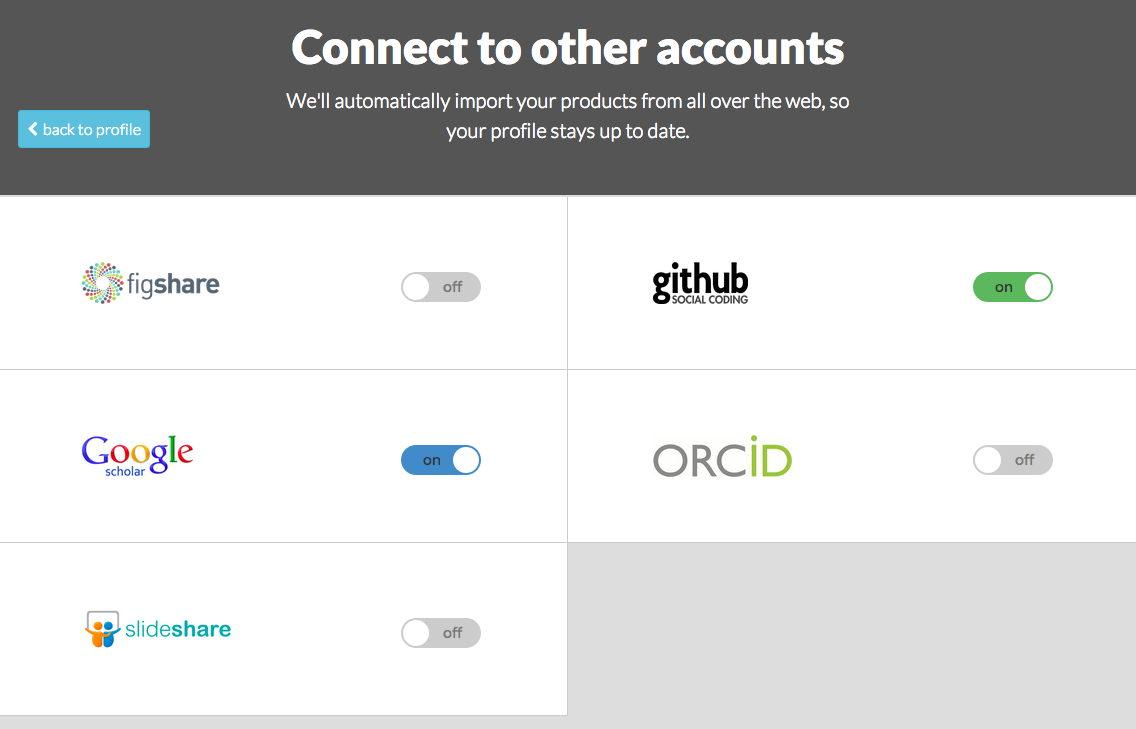
You can now connect your other online accounts to Impactstory in a few seconds. We’ll then watch those accounts; when new products appear there, they’ll automatically show up in your Impactstory profile, too.  Right now you can connect your GitHub, figshare, SlideShare, and ORCID accounts, but that’s just the beginning; we’ll be adding lots more in the coming months. We’re especially excited about adding ways to keep your scholarly articles up-to-date, like Google Scholar does.

Do you want to fill the gaps in your CV with an up-to-date, comprehensive picture of your research and its impact? There’s no better way than with an Impactstory profile. Our signup process is smoother than ever, give it a go!

What level of Open Access scholar are you?

Today is a feast for Open Access fans at Impactstory!

Your scholarship is more valuable when it’s available to everyone: free to be widely read, discussed, and used.  Realizing this, funders increasingly mandate that articles be made freely available, and OA journals and repositories make it increasingly easy.

And today at Impactstory, we make it visible!

Where your articles have free fulltext available somewhere online, your Impactstory profile now links straight to it (we’ve found many of these automatically, but you can add links manually, too). Now along with seeing the impacts of your work, folks checking out your profile can read the papers themselves.

But openness is more than just a handy bonus: it’s an essential qualification for a modern scholar. That’s why there’s growing interest in finding good ways to report on scholars’ openness–and it’s why we’re proud to be rolling out new Open Access awards. If 10% of your articles are OA (gold or green), you get an Open Access badge at the top of your profile. For the more dedicated, there are Bronze (30% OA) and Silver (50%) award levels. The elite OA vanguard with over 80% OA articles get the coveted Gold-level award. So…which award did you get? How open are you? Check Impactstory to find out!

To celebrate the launch, we’re giving away this awesome “i ♥ OA” tshirtfeaturing the now-classic OA icon and our new logo, to one randomly-drawn Bronze or higher level OA scholar on Monday.

Don’t have a Bronze level award yet? Want to see some more of those “unlocked” icons on your profile?  Great! Just start uploading those preprints to get improve your OA level, and get your chance for that t-shirt. 🙂

Finally, we’ve saved the most exciting Impactstory OA news for last: we’ll also be sending one of these new t-shirts to Heather Joseph, Executive Director of SPARC.  Why? Well, partly because she is and has been one of the OA movement’s most passionate, strategic, and effective leaders. But, more to the point, because we’re absolutely thrilled to be welcoming Heather to Impactstory’s Board of Directors.  Heather joins John Wilbanks on our board, filling the vacancy left by Cameron Neylon as his term ends.  Welcome Heather!